
How to Do Keyword Research for Free: A Step-by-Step Beginner Method
By Abhay Pandey (Digital Marketing Excutive), Digital Marketer at GrowthAbhi | Last updated: October 2026
Many new bloggers believe keyword research needs an expensive subscription. It does not. Google itself gives you enough free data to choose good topics, and the whole process can fit into a single afternoon.
This guide shows how to do keyword research for free, from the first brainstorm to a final shortlist, using only a Google account and a simple spreadsheet.
Quick Answer
List your topics, expand them with Google suggestions, check demand in Google Ads Keyword Planner and Google Trends, study the search results for intent, and record everything in a sheet. While your site is young, aim at narrow, winnable phrases rather than big, crowded terms.
What You Need Before You Start
- A clear topic or niche for your blog
- A free Google account
- A spreadsheet with five columns: phrase, source, intent, difficulty guess and decision
Free Blog Keyword Research Tools Compared
These blog keyword research tools cost nothing, and each answers a different question.
| Tool | What it tells you | Good to know |
|---|---|---|
| Google autocomplete | Phrases people actually type | Shows wording, not search numbers |
| People also ask and related searches | Follow-up questions to cover in your post | Also wording only |
| Google Ads Keyword Planner | Search volume ranges and related ideas | Needs a Google Ads account; numbers may appear as wide ranges |
| Google Trends | Whether interest is rising, falling or seasonal | Shows relative interest, not exact volume |
| Google Search Console | Queries your site already appears for | Works only after your site has some traffic |

The 7-Step Free Keyword Research Process
Step 1: Define who you are writing for
Describe your ideal reader in one line, including the problem they want solved. For instance: “A Prayagraj shopkeeper hoping Google will send more walk-in customers.” Keep that person in mind, and drop any phrase that does not help them.
Step 2: Write seed phrases
Note 10 to 15 short phrases about your niche, such as “local SEO” or “Google Business Profile”. These are starting points, not final targets.
Step 3: Collect keyword ideas for blog posts
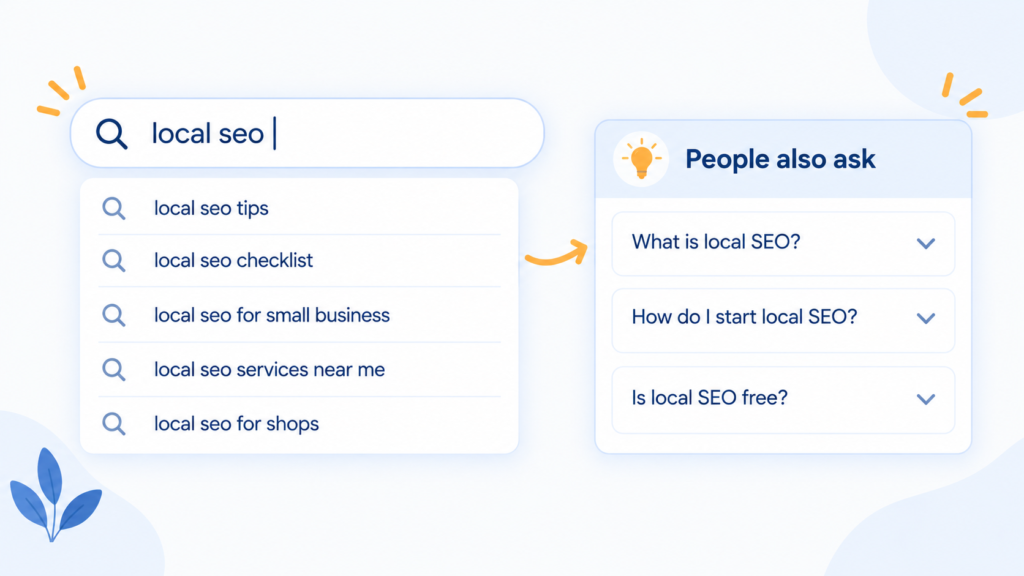
Start typing each seed phrase into the Google search bar and copy the suggestions that drop down. Next, read through the People also ask panel and the related searches at the bottom of the page. Ten minutes of this gives you dozens of keyword ideas for blog posts, written the way real people search.
Step 4: Check demand
Open Google Ads Keyword Planner, choose to discover new keywords and paste your phrases. Note the volume range for each. Then compare two or three promising phrases in Google Trends to spot seasonal spikes or a falling interest.
Step 5: Hunt for low competition blog keywords
Big brands usually win the broad searches, so a young site should aim lower. Choose phrases tied to a narrow problem or a particular city. Then open the first few results and judge them as a reader would. Weak, old or loosely related pages mean the door is open, and you have likely spotted low competition blog keywords.
Step 6: Match the phrase to search intent
Look at what kind of pages Google already shows: tutorials, product listings or local businesses. Choose phrases where the page you plan to write is the same kind of page.
Step 7: Record and decide
Fill your sheet, mark one primary keyword per post and attach two to five related phrases. Choose the topic with clear intent, reasonable demand and a competition level you can handle.
Short Phrases vs Long Tail Keywords for Blogs
Long tail keywords for blogs are longer, more specific searches. They usually bring fewer visitors but better matched ones.
| Type | Example | Competition | Best for |
|---|---|---|---|
| Short | SEO | Very high | Established sites |
| Medium | local SEO tips | High | Growing sites |
| Long tail | how to do local SEO for a shop in Lucknow | Lower | New blogs |
A Quick Worked Example
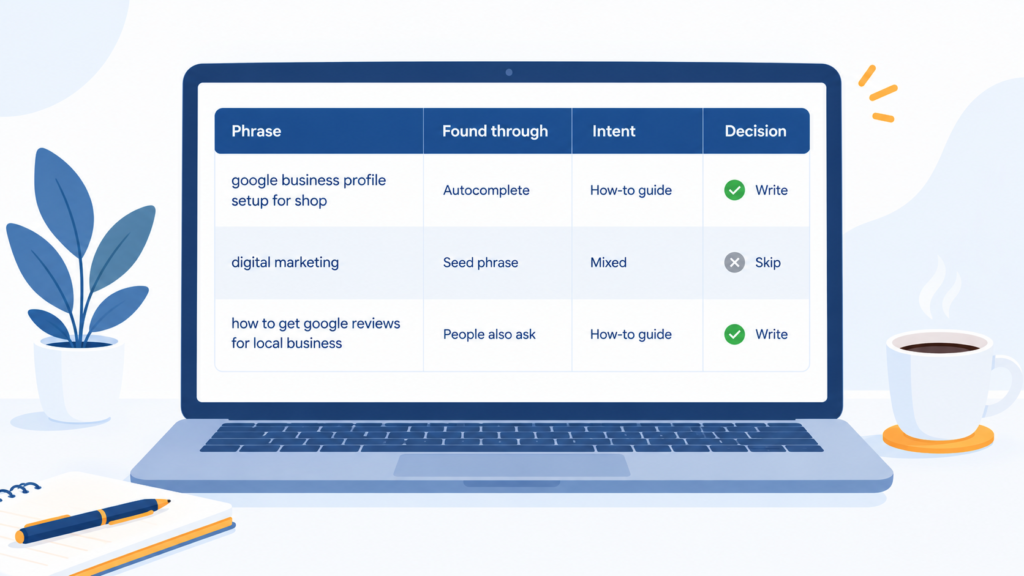
A beginner who writes about digital marketing for local shops might fill the sheet like this. The notes are an example of the process, not measured data.
| Phrase | Found through | Intent | Decision |
|---|---|---|---|
| google business profile setup for shop | Autocomplete | How-to guide | Write: clear intent, specific |
| digital marketing | Seed phrase | Mixed | Skip: too broad for now |
| how to get google reviews for local business | People also ask | How-to guide | Write: practical and local |
Example of the process, not measured data.
Mistakes Beginners Make
Important
Do not treat search volume as the only measure. A phrase with modest volume and clear intent often beats a popular phrase you cannot satisfy.
- Targeting broad terms with a brand-new site
- Skipping the step of reading actual search results
- Putting several unrelated phrases in one post
- Collecting hundreds of phrases and never choosing
- Forgetting to revisit the sheet every few months
FAQs
Is Google Ads Keyword Planner really free? Yes, you can use it without paying for ads, though you need a Google Ads account, and some data may be shown as ranges.
How many keywords should I pick per blog post? One primary keyword and a small group of closely related phrases.
How long does free keyword research take? A first pass usually takes a few hours, and it gets faster with practice.
Conclusion
Learning how to do keyword research for free takes only Google’s own tools and an organised sheet. Collect real search phrases, measure interest, study the results and select topics you can explain better than most. This week, take one narrow topic and write your first post around the best phrase you find.
Sources and References
- Google Search Central: SEO Starter Guide
- Google Search Central: Creating helpful, reliable, people-first content
- Google Search Central: Spam policies
- Google Ads Help: Keyword Planner
- Google Trends
- Google Search Console Help: Performance report
About the author: Abhay Pandey is a Digital Marketing Executive at growthabhi.in.